
Complete metadata editing pack for photos
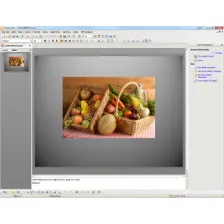
Microsoft Pro Photo Tools 2 is the upgraded version of what was formerly known as Microsoft Photo Info which allowed photographers to add, change and delete common "metadata" properties for digital photographs.
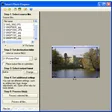
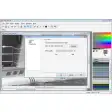
This latest version does all this still but also provides a whole set of tools for photographers to perform various other tasks with their images including capturing images from their cameras. In addition, you can now geotag your photos, view and edit metadata, and utilize the Microsoft Live Local to store and publish photos.
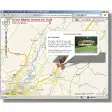
In addition, Microsoft Pro Photo Tools 2 works much better with Adobe products (useful when editing metadata that you'll later edit in Photoshop) and users can now convert from RAW to JPEG, TIFF, and HD using "As Shot" settings. It now also supports 64-bit Windows systems. Probably the most useful update is the geo-tagging GUI which allows you to quickly identify exactly where your images were taken and it even utilizes GPS coordinates.
Microsoft Pro Tools 2 is a remarkably well designed and thought out photo processing app for a Microsoft product and even professional photographers will find something useful in it.





























User reviews about Microsoft Pro Photo Tools 2
Have you tried Microsoft Pro Photo Tools 2? Be the first to leave your opinion!